Final Release of GScrot v0.60 is available!
Download: https://launchpad.net/~gscrot/+archive Changelog: * added new feature "grab window-section" * added settings-profiles * added new plugin interface * added new plugins -- pdf-export -- negate -- sepia (perl) -- resize * gui redesign -- scaling of main window -- auto-scaling of preview -- new toolbar -- new menu entries -- settings moved to menu * updated...
read more0.60 Beta
The first beta version of GScrot 0.60 is available at our Testing-PPA: https://launchpad.net/~gscrot-testing-team/+archive Changelog: * added new feature "grab window-section" * added settings-profiles * added new plugin interface * added new plugins -- pdf-export -- negate -- sepia (perl) -- resize * gui redesign -- scaling of main window -- auto-scaling of preview -- new toolbar -- new menu entries -- settings moved to...
read moreUnder heavy development
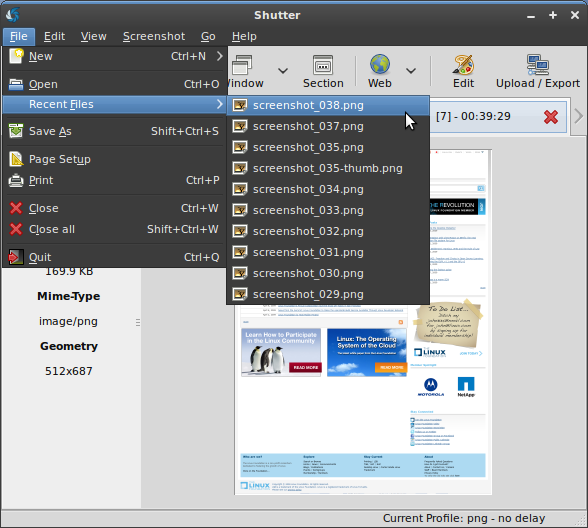
Currently GScrot is under heavy development as we are working on the new version with some exciting features. First of all there will be a little bit of GUI redesign so GScrot will behave a lot better when scaling the main window (currently it has a fixed size). There will also be some new menu entries to navigate easily, using shortcuts, from one screenshot in your session to another. The biggest part of development is the new plugin interface. In future we will be able to add new plugins effectively and plugins can use the whole power of...
read moreMinor Release of GScrot v0.51.1 is available!
* minor changes * added/updated translations * fixed bugs -- 264637
read moreNext Step: Improve the Drawing Tool
Since first release of GScrot there were a lot of requests targeting the embedded drawing tool. First of all, yes we are going to improve it in the next versions. Currently we are using the GnomeCanvas and there are some limitations (e.g. no dashed lines, no save to pixbuf function) that lead us to make a decision about choosing a new Canvas to build our improved DrawingTool. At the moment i am experimenting with GooCanvas and i am looking forward and it seems to be a good drop-in replacement with all the needed features. Here are some...
read moreHelp promote this idea!

Screenshots
Support Us
If you like Shutter and find it useful, help keep it actively developed by clicking the donate button or sending me a gift from my Amazon wishlist. You can even flattr our thing!